SketchUp file “created with a newer version”? Here’s how to open it
SketchUp is refusing a model someone sent you because it was saved in a newer release. Whether that's a real problem depends on your version, and the best fix is often free. Here's how to tell in ten seconds, and every option compared.
Key takeaways
- SketchUp 2021 and newer open files from newer versions. You get a notice, newer features are left out, and the model opens.
- Only SketchUp 2020 and older are truly blocked, including SketchUp Make 2017.
- SketchUp 2024 removed older versions from File > Save As, so asking a sender on a current release to "save it for 2017" usually no longer works.
- The free fixes are asking a sender on 2023 or older, or the Windows-only Eneroth extension. An online converter is the fastest route on a Mac or when nobody can help.
What the message means
Every .skp file records the SketchUp version that saved it. When you open a file, SketchUp compares that version with its own. If the file is newer, you get a message that the model was created with a newer version of SketchUp.
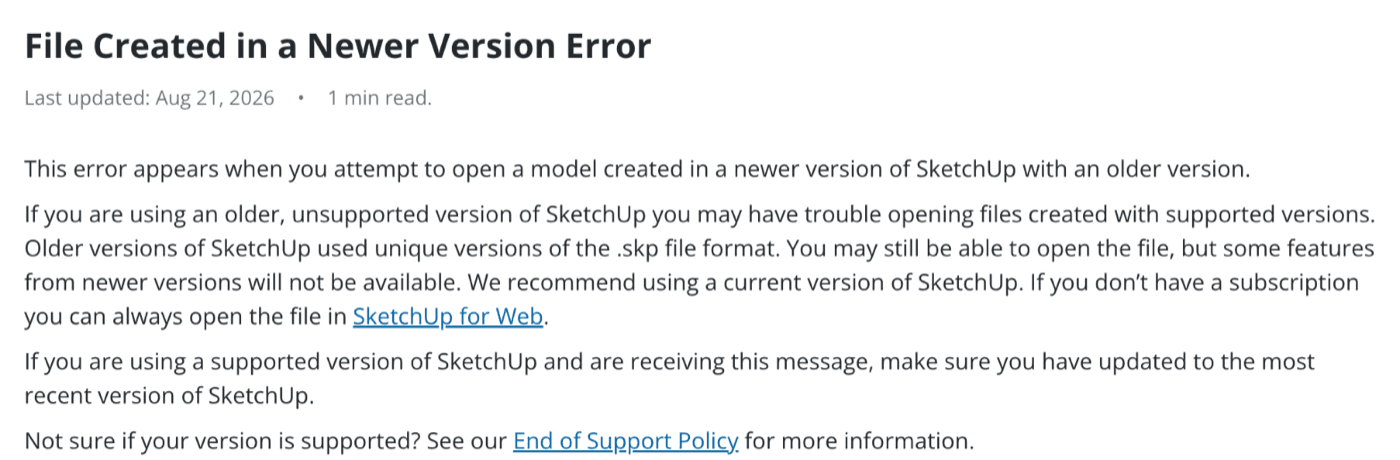
That advice works if you're happy to move to a current subscription. It doesn't help if you're on SketchUp Make 2017, a perpetual Pro license from before subscriptions, or a computer that can't run the latest release. Those are the cases this guide is for.
Which SketchUp versions are affected
This is the part most answers online miss. SketchUp 2021 changed the file format so that it and every later release can open files saved by newer versions. You still see the notice, and anything added after your version is left out, but the model opens. SketchUp 2020 and older can't do that and refuse the file outright.
Can your SketchUp open a file from a newer version?
- 2017
- 2018
- 2019
- 2020
- 20211
- 2022
- 2023
- 20242
- 2025
- 2026
1. SketchUp 2021 makes the file format "versionless": it and later releases open files from newer versions.
2. SketchUp 2024 drops older versions from File > Save As, so senders on current SketchUp can't save a copy down from the menu.
The SketchUp developers who worked on that format described it on the official forum as "versionless": a file saved by a newer release opens in 2021 with a notice that it came from a newer version. Down-saving is now only needed for versions before 2021.
Tip
Check your file in 10 seconds
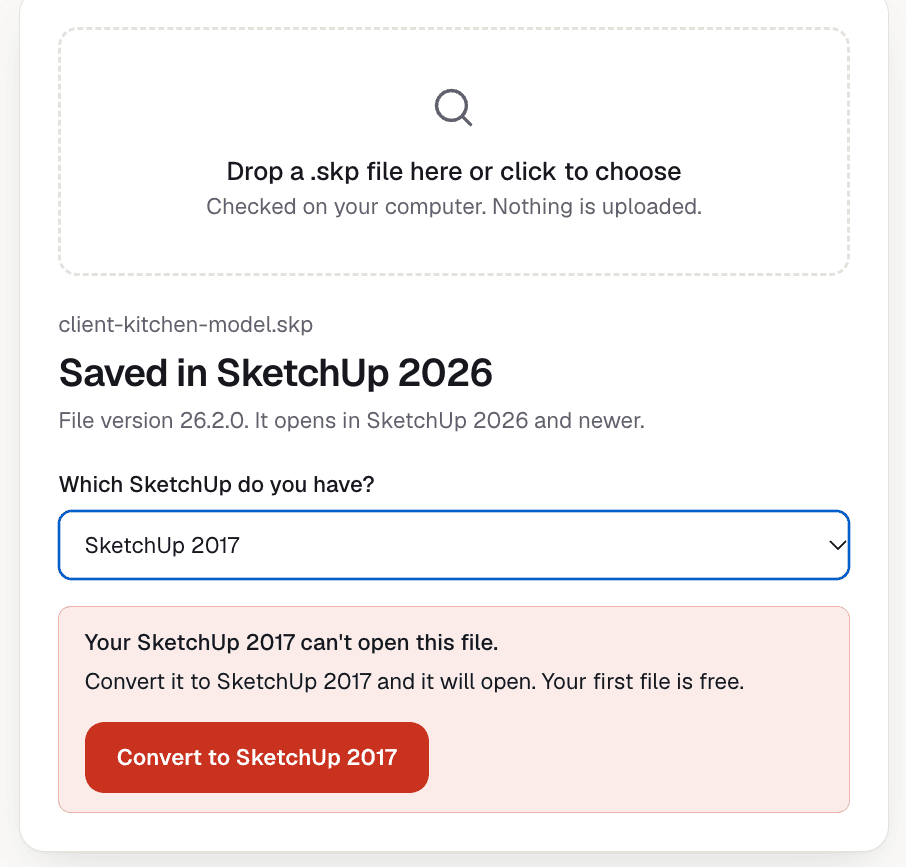
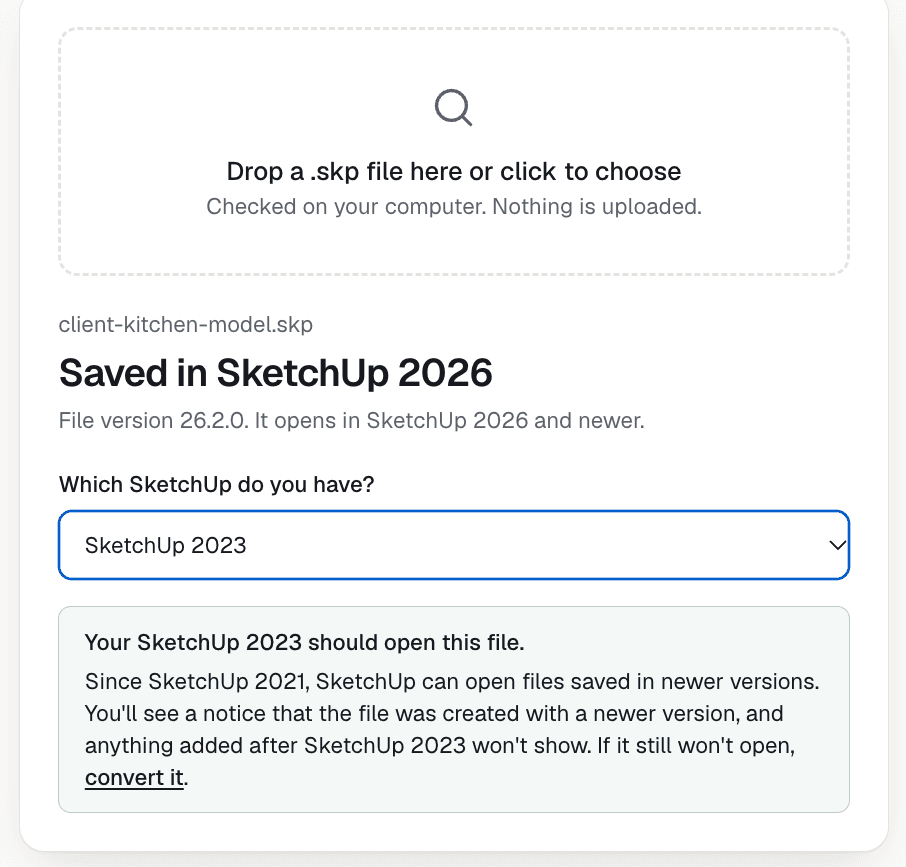
The file name won't tell you much: a model called "cabinet-2017.skp" may have been opened and saved again in a newer SketchUp since. The version stored inside the file is what counts. Here's what our free checker shows for a SketchUp 2026 file, first for someone on Make 2017, then for someone on SketchUp 2023:
Try it with your file
Drop the .skp here to see which SketchUp saved it and whether yours can open it. It's free and the file isn't uploaded.
Which fix do you need?
Answer three questions and you'll know which section to read:
Which fix do you need?
Every option compared
| Method | Cost | Needs SketchUp | Mac | Main catch |
|---|---|---|---|---|
| Sender saves an older copy | Free | Sender: 2023 or older | Yes | Not possible from the menu in 2024+ |
| Save As in an older SketchUp | Free if you have it | Yes, 2021 to 2023 | Yes | You need that install |
| SketchUp for Web | Free plan | No (Trimble account) | Yes | Older-format downloads have come and gone |
| 3D Warehouse round-trip | Free | No (Trimble account) | Yes | Only ~2 versions back; public library |
| Eneroth Open Newer Version | Free | Yes | No | 64-bit Windows only |
| Online converter | First file free, then ~$3.90 | No | Yes | Some extras (like scenes) may not carry over |
| Fiverr or forum volunteers | Varies, or free | No | Yes | A stranger handles your file; you wait |
1. Ask the sender to save a copy for your version
- Best for
- A sender on 2023 or older
- Cost
- Free
- Works on Mac
- Yes
- Keeps everything
- Yes
If the person who sent the file is on SketchUp 2023 or older, this is the best fix and it costs nothing. They open the model, choose File > Save As, pick your version from the list of formats, and send you that copy. Because SketchUp writes it, nothing your version supports is lost: scenes, styles and text all come through.
Two things get in the way. First, SketchUp 2024 removed the option to choose an older version in Save As, so anyone on a current release can't do this from the menu any more. Second, you may not be able to ask: the file came from a client, a supplier, a plan you bought, or a download where nobody's answering.
Tip
2. Save it down yourself in an older SketchUp
- Best for
- Studios with several versions
- Cost
- Free if you have it
- Works on Mac
- Yes
- Needs
- SketchUp 2021–2023
If you have access to SketchUp 2021, 2022 or 2023 on any computer (a second license, an office machine, a colleague), that's your tool. Those releases open files from newer versions and still offer older versions in Save As, so you can make the copy yourself.
Heads up
3. Open it in SketchUp for Web
- Best for
- Looking at or editing the model
- Cost
- Free plan
- Works on Mac
- Yes, in a browser
- Needs
- Trimble account
SketchUp for Web runs in a browser with a free Trimble account and opens current .skp files. It's the route SketchUp's help pages point to, and because it's real SketchUp you can explore and edit the model rather than just pass it along.
To get a file your desktop SketchUp can open, you need the web app's download menu to offer an older format. Users have reported downloads in the 2017 format, but that option has been removed and brought back before, so check what the menu shows on your account. If it's there, this is a good free option.
4. The 3D Warehouse round-trip
- Best for
- Recent versions only
- Cost
- Free
- Works on Mac
- Yes
- Catch
- ~2 versions back
The classic forum trick: upload the model to 3D Warehouse, then download it again choosing an older SketchUp version. A SketchUp staff member explained on the forum that 3D Warehouse only generates files for versions about two years back, so it won't get a new model down to 2017.
Heads up
5. Eneroth Open Newer Version (Windows)
- Best for
- Windows users, often
- Cost
- Free
- Works on Mac
- No
- Downloads
- 668,490+
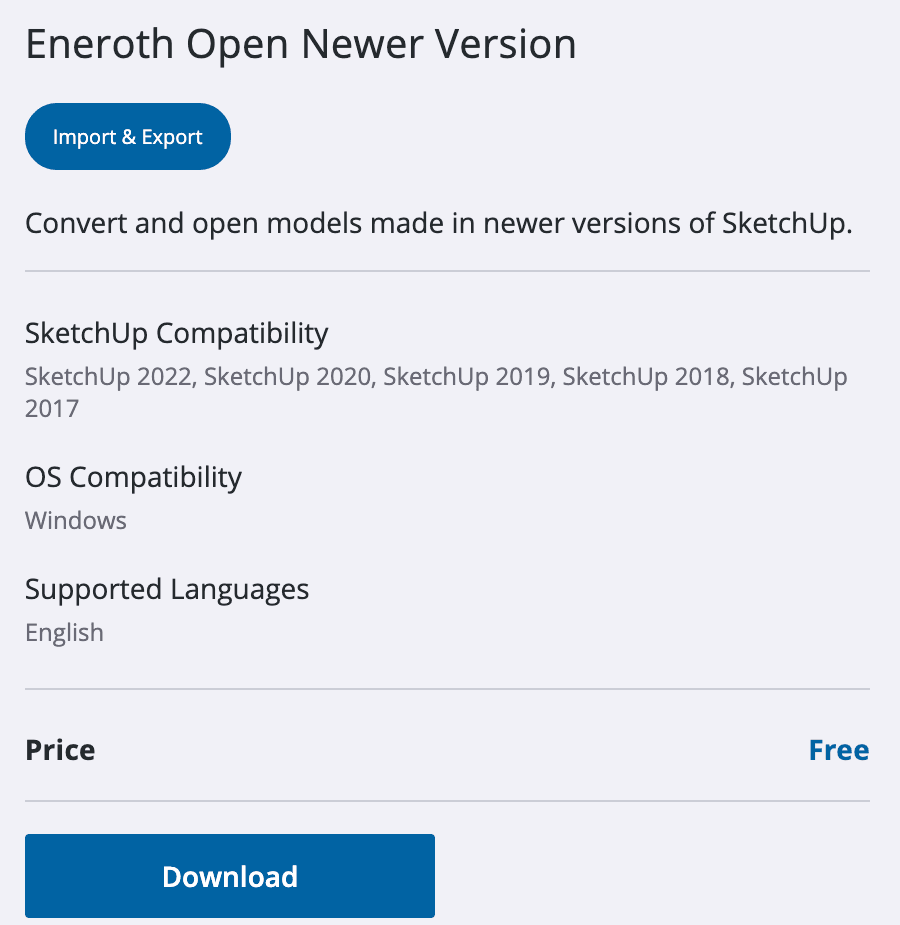
Eneroth Open Newer Version is a free extension built for exactly this, mainly for SketchUp Make 2017 users. Once installed it adds File > Open Newer Version: pick the newer file, choose where to save a converted copy, and SketchUp opens it. It runs on your own computer, so nothing is uploaded. Those downloads tell you how common this problem is.
It only runs on 64-bit Windows, so Mac users are out (some have run it in Windows through Parallels, which isn't supported). Large models can make SketchUp look frozen while it works, and forum threads describe failures on machines missing a Microsoft runtime DLL or without permission to run executables. If you're on Windows and do this regularly, it's the strongest free option.
6. Use an online converter
- Best for
- Mac users, or right now
- Cost
- First file free, then $3.90
- Works on Mac
- Yes, any browser
- Needs
- Nothing installed
An online converter takes the newer .skp and gives you back a file in an older format. You don't need any SketchUp installed, and it works the same on Mac, Windows or a Chromebook. It's the option for when the sender can't help, you're on a Mac, or you need the file open now.
We run one: an online SketchUp version converter that needs nothing installed. Using it takes three steps:
- Drop the .skp into the converter on the homepage.
- Under "Convert to", pick the SketchUp you have.
- Convert, then download the copy and open it in your SketchUp.
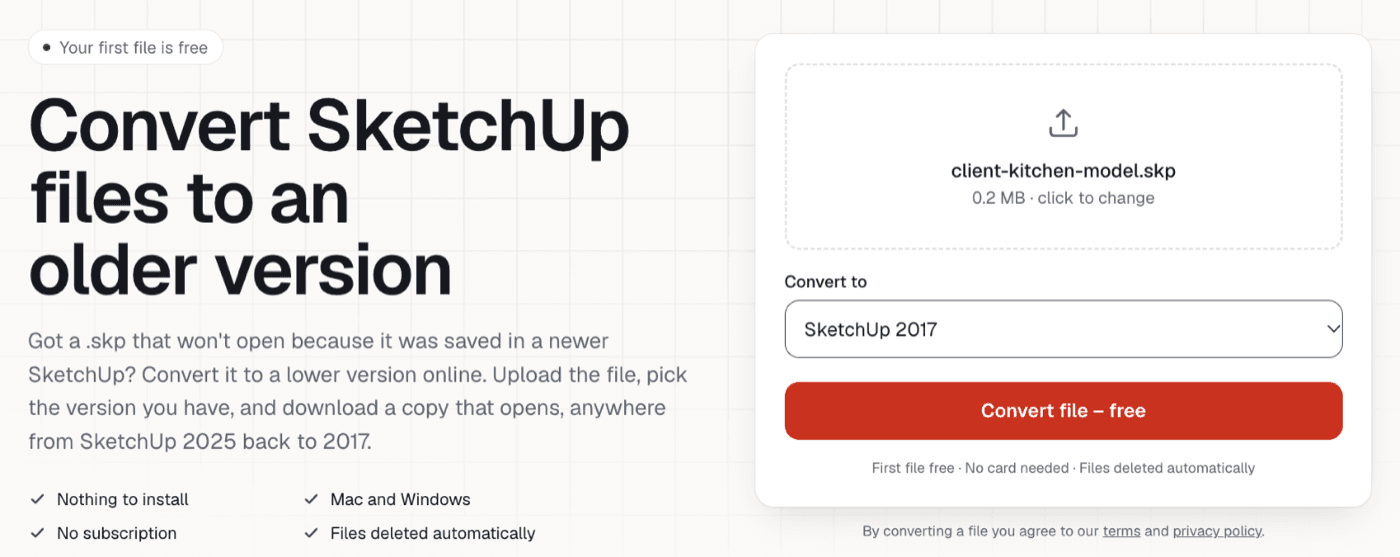
Your first file is free; after that it's $3.90 a file, or $9.99 a month for regular use (pricing). Uploads go up to 100 MB (150 MB on the monthly plan). We delete your upload as soon as the conversion finishes and the result after 7 days. Geometry, groups and components, materials and textures, tags and dimensions come across. Scenes, custom styles and text labels don't yet, and we list anything left out after each conversion.
DownConvert (downconvert-sketchup-files.com) is another online converter for the same job. When we checked on October 15, 2026, it also offered the first file free and $3.90 per file, plus a one-time unlimited option, uploads up to 100 MB (150 MB on unlimited), and conversion down to SketchUp 2017.
Heads up
7. Fiverr or forum volunteers
You can pay someone on Fiverr to open and re-save the file, or post it on the SketchUp forum and ask a volunteer. Forum members are generous with this, and it can be free. The trade-offs are time and privacy: you're waiting on a stranger, and on a public forum your model is visible to everyone. Avoid it for client or confidential work.
What gets lost when a file goes to an older version
Older versions can only show what they know about. Whatever the method, features introduced after your version won't appear. Beyond that, methods differ: a Save As from SketchUp itself keeps everything your version supports, while third-party tools rebuild the model and may leave some presentation extras behind. Geometry, components, materials, textures and tags are the parts every method here keeps, and they're what you need to keep working.
Tip
Avoiding the problem next time
- Tell collaborators which SketchUp you use, and ask for files "saved for SketchUp 20XX" if they're on 2023 or older.
- Check files when they arrive with the free SKP version checker, so you know before you need them.
- On an older SketchUp for good? Read keeping SketchUp Make 2017 working with newer files.
- Only need a look? See how to view a SketchUp file without SketchUp.
Questions about newer SketchUp files
Is SketchUp backwards compatible?
+
Every SketchUp opens files from older versions. Opening files from newer versions depends on yours: SketchUp 2021 and later can, with a notice and without newer features, while SketchUp 2020 and older can't open them at all.
Can I open a newer SketchUp file in an older version?
+
On SketchUp 2021 or newer, usually yes: just open it and accept the notice. On SketchUp 2020 or older you need a copy saved in an older format, from the sender, from an older SketchUp's Save As, or from an online converter.
How can I save an older version of a SketchUp file in 2026?
+
SketchUp 2024 and later no longer offer older versions in File > Save As. You can use SketchUp 2023 or earlier if you have it, check whether SketchUp for Web's download menu offers an older format, or use an online converter that writes an older .skp.
Why does my SketchUp 2017 say a file needs a newer version?
+
The file was saved in SketchUp 2018 or later. SketchUp 2017 can only open files from 2017 and earlier, so it needs a copy saved in the 2017 format. The free SKP version checker on this page tells you exactly which version saved it.
Will I lose anything opening a newer file in an older SketchUp?
+
Anything the older version doesn't support. Geometry, components, materials and tags carry over in every method here. Features added in later releases are dropped, and some tools also leave out scenes, styles or text, so check what each method keeps.