How to view a SketchUp file without SketchUp
Someone sent you a .skp and you don't have SketchUp, or the free SketchUp Viewer you relied on is gone. Here are the ways to look at the model today, what each costs, and what to do if you need to work on it too.
Key takeaways
- The free SketchUp Viewer for Desktop can no longer be downloaded (since April 22, 2025).
- SketchUp for Web is the best free replacement if you want the real thing; it needs a free Trimble account.
- Online SKP viewers are the fastest way to take a quick look, often with no account.
- A file that opens in a viewer can still be too new for your desktop SketchUp. Check the version before you plan to edit it.
First: the SketchUp Viewer is gone
For years the answer was SketchUp Viewer, a free desktop app that only opened and displayed models. SketchUp has retired it.
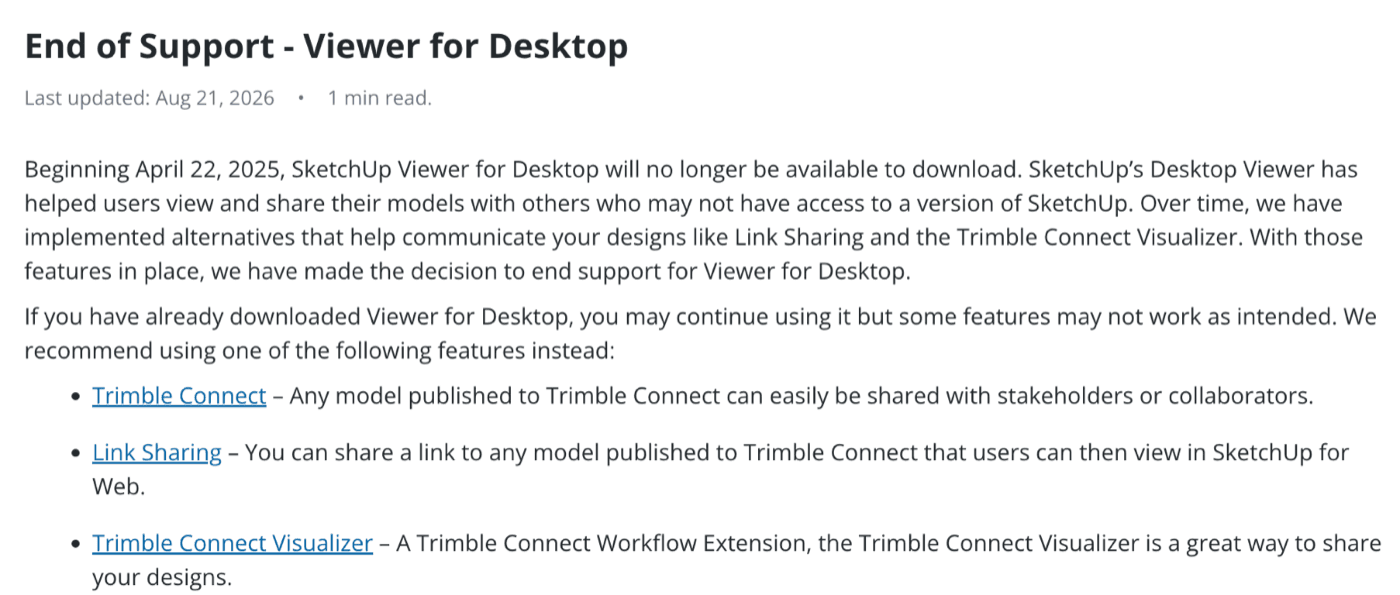
If it's already installed you can keep using it, though SketchUp warns some features may stop working, and an old Viewer may not open files from the newest releases. SketchUp now points people to Trimble Connect and to sharing links that open in SketchUp for Web.
Your options at a glance
| Option | Cost | Account | Best for |
|---|---|---|---|
| SketchUp for Web | Free plan | Trimble account | Exploring or lightly editing the real model |
| Online SKP viewers (including ours) | Free, some with limits | Often none | A quick look, measuring, sharing a link |
| Trimble Connect | Depends on your Trimble plan | Trimble account | Reviewing models with a team or client |
| Old Viewer for Desktop | Free | No | Only if it's already installed |
1. SketchUp for Web (free plan)
- Best for
- The real model, free
- Cost
- Free plan
- Install
- None, any browser
- Needs
- Trimble account
SketchUp for Web is SketchUp running in your browser. Sign in with a free Trimble account, open the .skp, and you can orbit, zoom and measure, because it's the real modeling app rather than a preview. It works on Mac, Windows and Chromebooks with nothing to install.
The downsides: you need an account, the file goes into your Trimble cloud storage, and on a slow computer or with a big model it can be sluggish. For most people who need to see what a model looks like, it's still the best free option.
2. Online SKP viewers
- Best for
- A quick look
- Cost
- Free, with limits
- Install
- None
- Needs
- Often no account
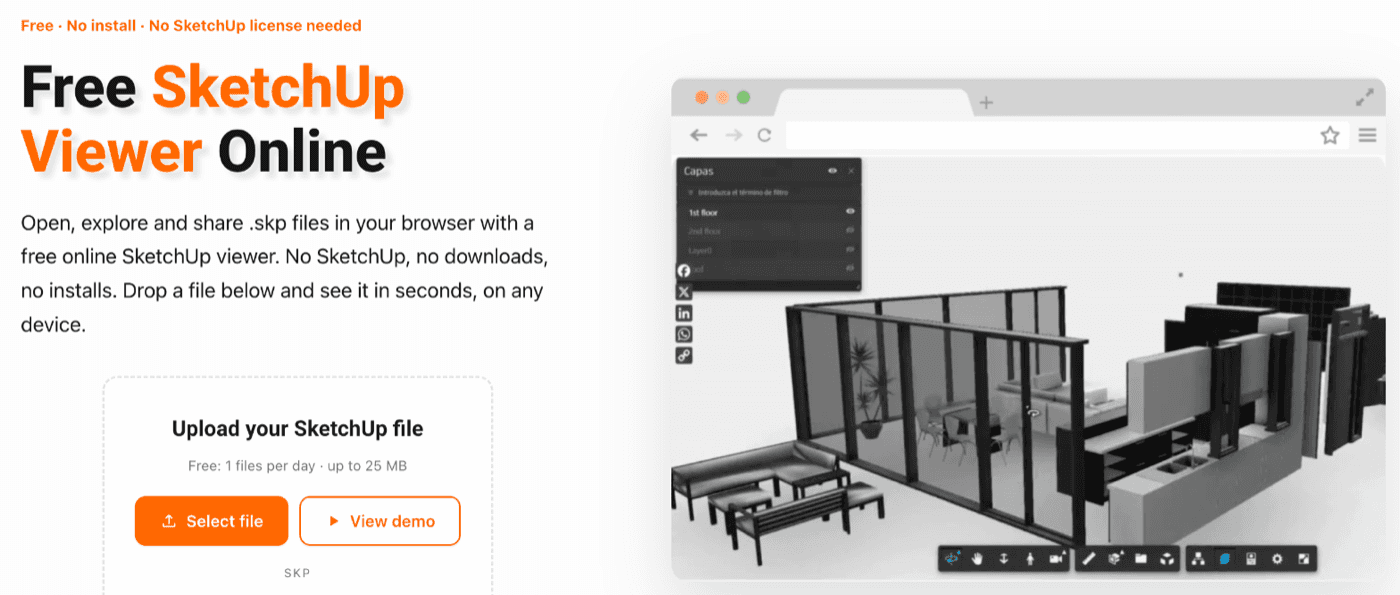
Several sites let you drop in a .skp and view it in 3D. Including our own, as we found them on October 14–15, 2026:
- Our free SketchUp viewer (full disclosure: we built it) opens the file on your own device, so nothing is uploaded, with no account and no daily limit. It shows the model in 3D with SketchUp-style edges and tells you which version saved it. It's view-only: no scenes, tags or measuring yet.
- SKP Viewer (skpviewer.com) converts the file on its servers and shows it in the browser, with orbit, measure, section tools and link sharing. The free plan allows one file a day up to 25 MB; paid plans start at $6.99 a month.
- innerscene's SKP viewer is free with no sign-up, reads files back to SketchUp 8, and says files are parsed in your browser unless you choose to share a link. It can also export the view to GLB, OBJ, STL or PDF.
Viewers draw their own version of the model rather than running SketchUp, so very complex models may not display perfectly.
Heads up
3. Trimble Connect
Trimble Connect is Trimble's project-sharing platform and SketchUp's recommended replacement for the Viewer. It makes the most sense when a team or client needs to review models together, with comments and versions. For a one-off look at a single file, it's more setup than you need.
4. An old copy of SketchUp Viewer
If the Viewer for Desktop is still installed on one of your computers, it keeps opening the files it knows.
Heads up
Need to work on the file, not just look at it?
Viewing is the easy part. Problems start when you want to edit the model in the SketchUp you own and it refuses to open. Viewers read every version, but SketchUp 2020 and older can't open files saved in newer versions. That's why a file can look fine in a browser and still fail on your desktop.
The free SKP version checker tells you in seconds whether that's the problem. If it is, you can convert the file to a lower SketchUp version online, or read every way to open a file from a newer version.
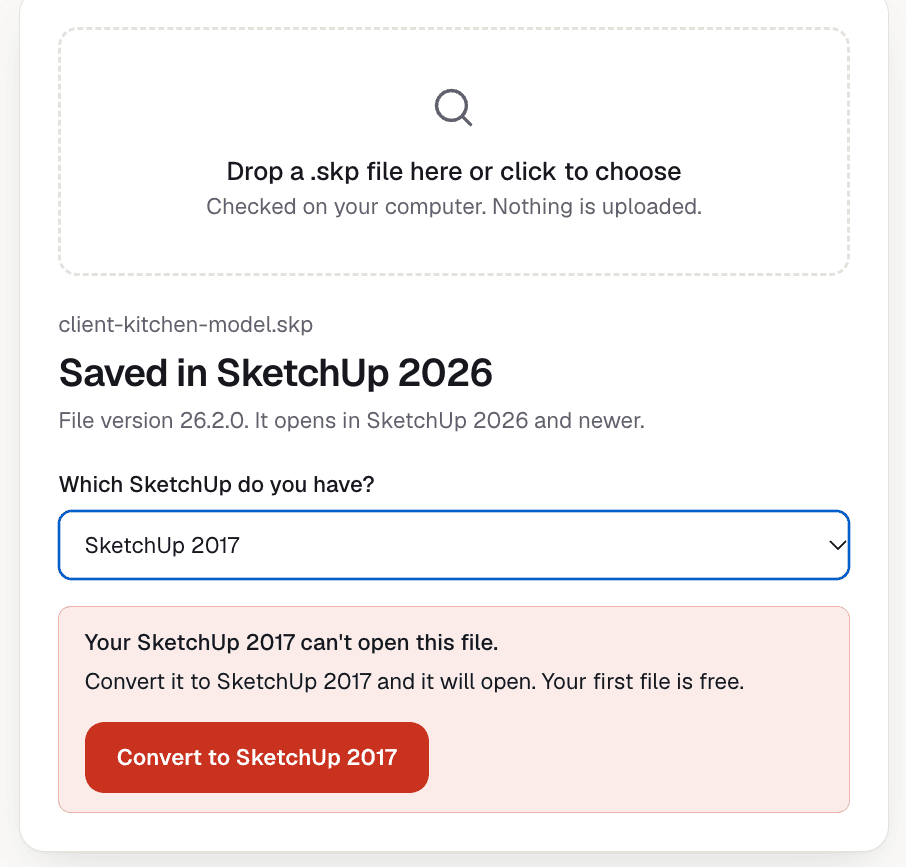
Will it open in your SketchUp?
Drop the .skp here to see which SketchUp saved it and whether yours can open it. It's free and the file isn't uploaded.
Which option should you use?
- Just want a look, right now: an online SKP viewer, like our free SketchUp viewer.
- Want to explore it properly or make small changes: SketchUp for Web.
- Reviewing models with a team or client: Trimble Connect.
- Want to keep working on it in an older desktop SketchUp: check the version, then see every way to open a file from a newer version. On SketchUp Make 2017? Read opening newer files in Make 2017.
Questions about viewing SketchUp files
Is there still a free SketchUp viewer?
+
Not the desktop one: SketchUp stopped offering the Viewer for Desktop as a download on April 22, 2025. SketchUp for Web on a free Trimble account and several free online SKP viewers do the same job in a browser.
Is SketchUp Viewer discontinued?
+
The desktop Viewer is. SketchUp ended downloads on April 22, 2025, and says existing installs keep working, though some features may not. It now points people to Trimble Connect and SketchUp for Web instead.
Can I open a .skp file without installing anything?
+
Yes. SketchUp for Web runs in a browser with a free Trimble account, and online SKP viewers let you drop in a file and orbit around it. Neither needs an install.
Why won't the file open in my older SketchUp, even though a viewer shows it?
+
Viewers read any version, but SketchUp 2020 and older can't open files saved in newer versions. You need a copy saved in your version; the version checker on this page tells you whether that's the problem.