Opening newer files in SketchUp Make 2017
SketchUp Make 2017 was the last free desktop SketchUp, and plenty of people still use it. The catch: it can't open models saved in any later version. Here's what's going on, and how to keep Make 2017 useful when people send you newer files.
Key takeaways
- Make 2017 can't open anything saved in SketchUp 2018 or later, and it never got the 2021 change that lets newer releases open newer files.
- SketchUp no longer offers Make 2017 downloads, so keep your existing install and back up your models.
- Free options: a 2017 copy from a sender on SketchUp 2023 or older, or the Windows-only Eneroth extension.
- On a Mac or in a hurry: an online converter that outputs the 2017 format.
Why Make 2017 refuses newer files
Every .skp file records the SketchUp version that saved it. Make 2017 opens files from 2017 and earlier, and stops there: a model saved in SketchUp 2018, 2020 or 2026 gets a message that it was created with a newer version, and won't open.
Newer SketchUp releases handle this better. Since SketchUp 2021, SketchUp can open files from later versions and simply leaves out features it doesn't know. That change came after Make was discontinued, so Make 2017 sits on the wrong side of the line. The more time passes, the more of the files you receive are too new.
Can your SketchUp open a file from a newer version?
- 2017
- 2018
- 2019
- 2020
- 20211
- 2022
- 2023
- 20242
- 2025
- 2026
1. SketchUp 2021 makes the file format "versionless": it and later releases open files from newer versions.
2. SketchUp 2024 drops older versions from File > Save As, so senders on current SketchUp can't save a copy down from the menu.
Where Make 2017 stands today
SketchUp Make 2017 in 2026
- Official download
- No longer offered
- Updates
- None since 2017
- License
- Personal, non-commercial
- Opens newer files
- No (2018 and later)
- Runs on recent Macs
- Unsupported; reported via Rosetta
SketchUp's help center says it no longer offers SketchUp Make for download and warns that the software hasn't been updated since 2017. Make was always licensed for personal projects, not paid work. It was built for the macOS and Windows of its day; users report it still running on recent Macs through Rosetta, but crashes are common enough that you should save often.
None of that stops it from being a good tool for woodworking plans, home projects and learning. If it does what you need, the only real problem is the one this guide is about.
Is your file too new for Make 2017?
File names are no help: a model called "bookshelf-2017.skp" may have been re-saved in a newer SketchUp. Our free checker reads the version stored inside the file:
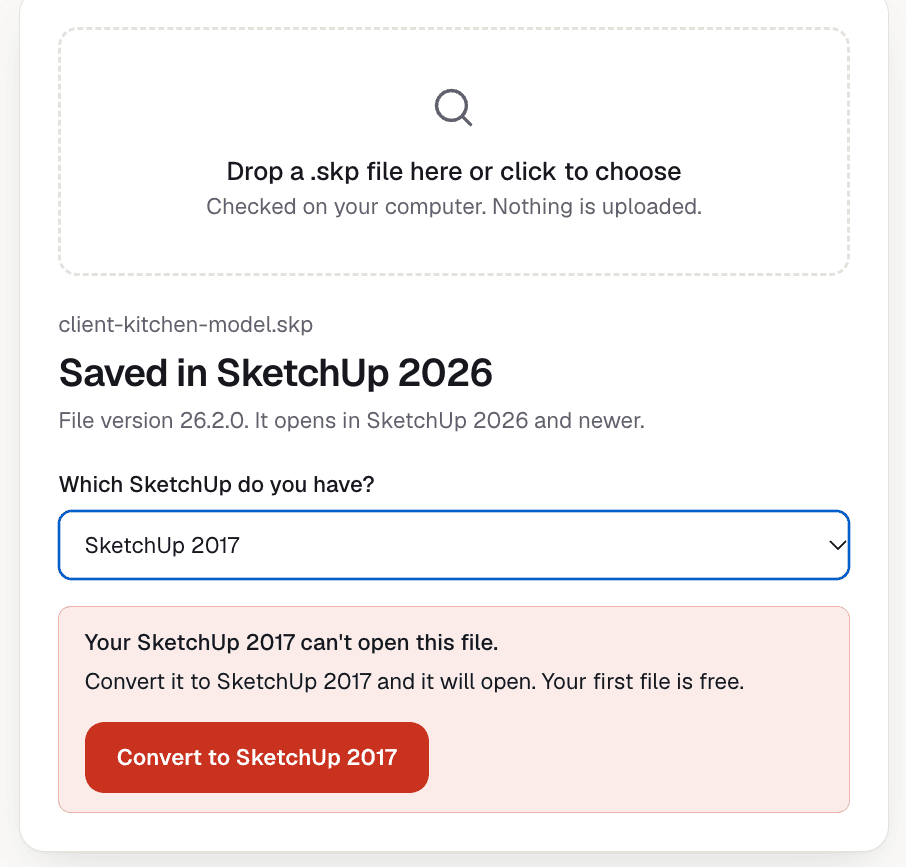
Check your file against Make 2017
Drop the .skp here and pick SketchUp 2017. You'll see straight away whether Make 2017 can open it. Free, and the file isn't uploaded.
1. Ask for a 2017 copy
- Best for
- A sender on 2023 or older
- Cost
- Free
- Works on Mac
- Yes
- Keeps everything
- Yes
If the person who made the file uses SketchUp 2023 or older, they can choose File > Save As and pick SketchUp 2017. That copy opens in Make 2017 with everything intact.
It doesn't work if they're on SketchUp 2024 or newer: those releases removed the option to pick an older version when saving. It also doesn't help with plans you've bought or downloaded, where there's nobody to ask.
Tip
2. Eneroth Open Newer Version (Windows only)
- Best for
- Windows, regularly
- Cost
- Free
- Works on Mac
- No
- Runs
- Inside Make 2017
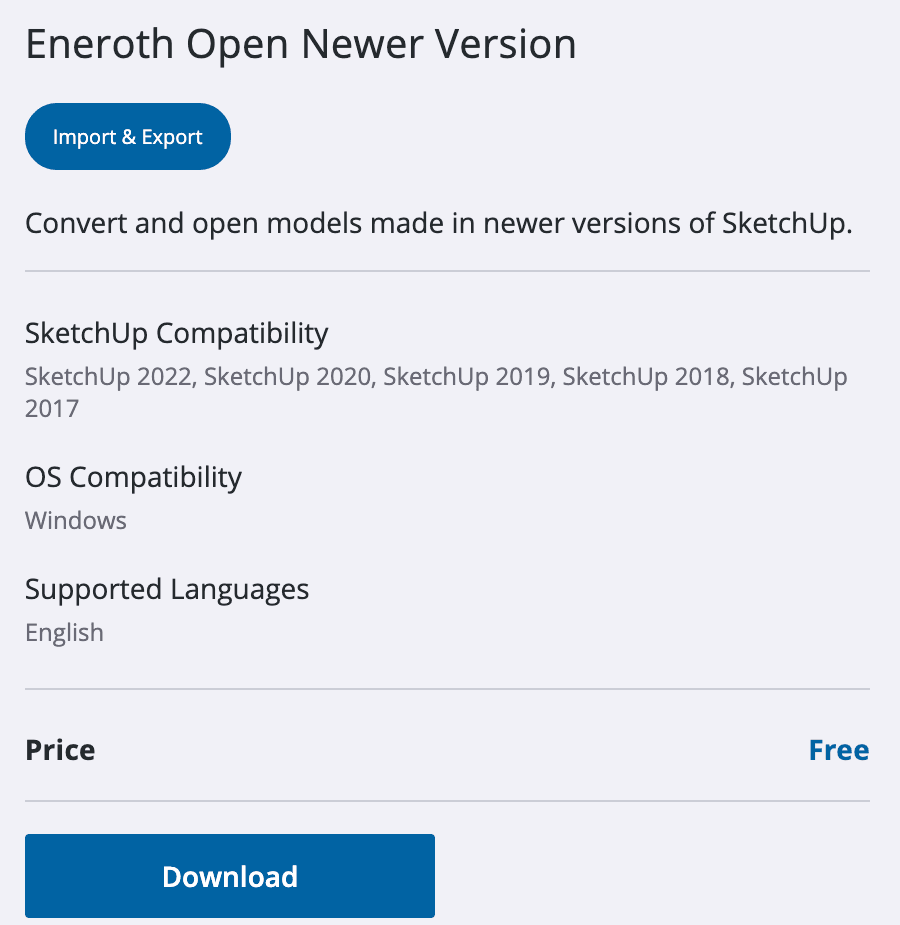
A free extension made for Make 2017 users. It adds File > Open Newer Version, converts the newer file on your computer and opens it. It needs 64-bit Windows, and big models can take a while. Forum threads describe a few setup problems (permissions and a missing Microsoft runtime file), but when it works it's free and private.
3. SketchUp for Web
- Best for
- Viewing, and maybe a 2017 copy
- Cost
- Free plan
- Works on Mac
- Yes, in a browser
- Needs
- Trimble account
SketchUp for Web opens current files in a browser with a free Trimble account. To get a file back into Make 2017 you need its download menu to offer the 2017 format; users have reported that option, but it has been removed and restored before, so check what your account shows. Either way, it's handy for looking at the model, and it's the free way to keep opening your models if Make ever stops running on your computer.
Sidenote
4. An online converter
- Best for
- Mac users, or right now
- Cost
- First file free, then $3.90
- Works on Mac
- Yes, any browser
- Needs
- Nothing installed
An online converter rebuilds the newer file in the 2017 format, which Make 2017 opens. It works the same on Mac and Windows, needs nothing installed, and is the quickest route when you can't ask the sender. Our converter for older SketchUp versions does exactly this:
- Drop the newer .skp into the converter.
- Under "Convert to", choose SketchUp 2017.
- Convert, download, and open the copy in Make 2017.
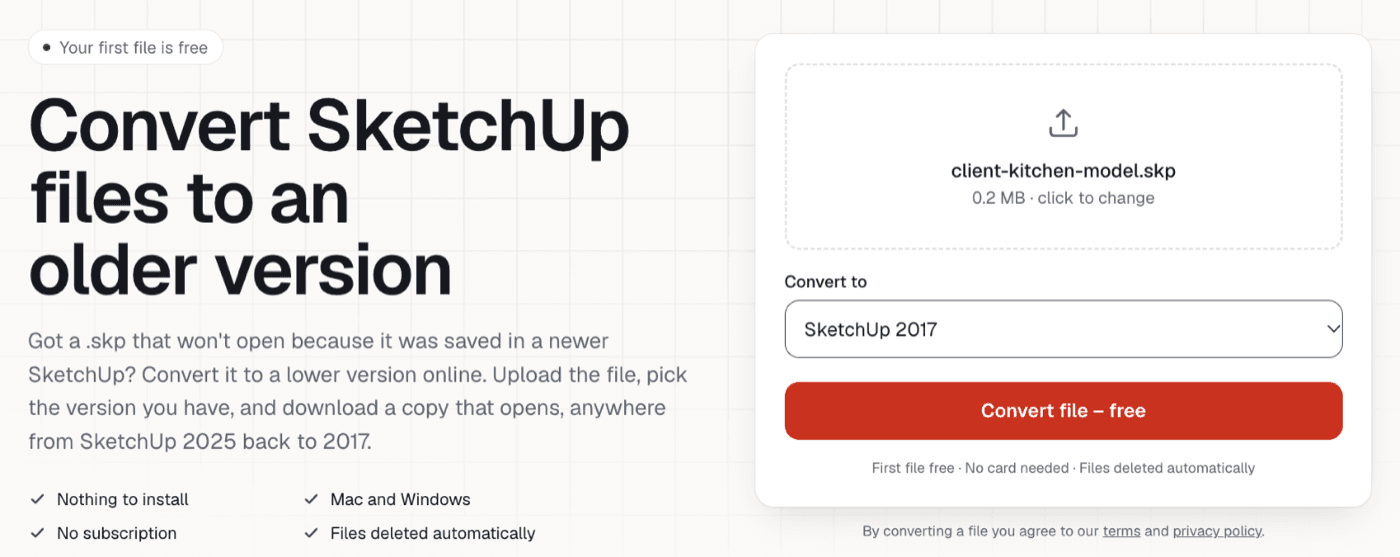
Your first file is free, then it's $3.90 a file (pricing). It keeps geometry, groups and components, materials and textures, tags and dimensions; scenes, custom styles and text labels don't come across yet, and we list anything left out.
Keeping Make 2017 working
- Back up your models somewhere other than the computer running Make, and keep your own files in the 2017 format so you can always open them.
- Check files when they arrive with the free SKP version checker, so you know which ones need a 2017 copy before you need them.
- Know your next step. If Make stops running on your computer, SketchUp for Web is the free way to keep opening your models.
Heads up
For a fuller comparison of every option, see our guide to files created with a newer version of SketchUp. If you only need to look at a model, here's how to view a SketchUp file without SketchUp.
SketchUp Make 2017 questions
Can SketchUp Make 2017 open SketchUp 2018 or newer files?
+
No. Make 2017 only opens files saved in SketchUp 2017 or earlier. Anything saved in 2018 or later needs a copy in the 2017 format before Make 2017 will open it.
Can I still download SketchUp Make 2017?
+
Not from SketchUp. Its help center says it no longer offers Make downloads, and the version hasn't been updated since 2017. If you already have it installed, it keeps working; avoid installers from unofficial download sites.
Does SketchUp Make 2017 work on a new Mac?
+
It wasn't built for current macOS. Users report it running on recent versions, through Rosetta on Apple Silicon, but also crashes. Treat it as unsupported and keep backups of your work.
Is SketchUp Make 2017 free for commercial use?
+
No. SketchUp Make was licensed for personal, non-commercial use. For paid work you need a SketchUp subscription or a Pro license.
What's the easiest way to open a newer file in Make 2017 on a Mac?
+
The free Eneroth extension is Windows only, so on a Mac the practical routes are asking the sender for a 2017 copy, SketchUp for Web's download options, or an online converter that outputs the 2017 format.